WordPress Website Maintenance Checklist
A WordPress website is never truly “finished.” After launching your website, regular maintenance becomes one of the most important factors for keeping it secure, fast, and performing well in search engines.
Many website owners only update their website when something breaks. Unfortunately, waiting until a problem occurs can lead to security vulnerabilities, slow loading times, lost SEO rankings, poor user experience, and even downtime.
Whether you own a business website, portfolio, blog, WooCommerce store, or corporate website, following a proper WordPress website maintenance checklist helps prevent costly issues before they happen.
In this comprehensive guide, we’ll walk through the essential WordPress maintenance tasks that every website owner should perform regularly.
Why WordPress Maintenance Matters
A properly maintained WordPress website provides numerous benefits:
- Better website speed
- Improved SEO rankings
- Stronger website security
- Better user experience
- Lower risk of hacking
- Higher conversion rates
- Longer website lifespan
- Improved Core Web Vitals
Google rewards websites that load quickly, remain secure, and provide visitors with a smooth browsing experience.
1. Keep WordPress Updated
The WordPress core receives regular updates that include:
- Security improvements
- Performance enhancements
- Bug fixes
- New features
Running an outdated version of WordPress increases the chances of malware infections and compatibility issues.
Always update your website after creating a full backup.
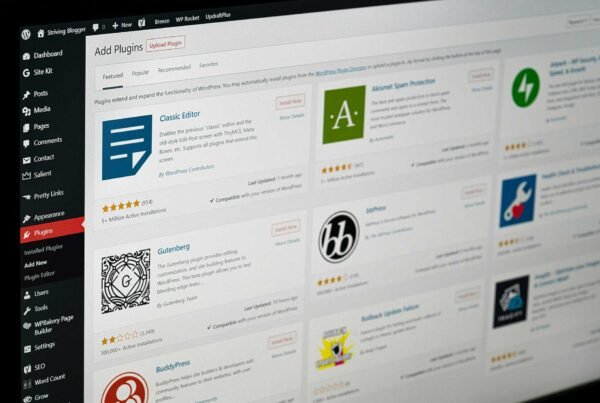
2. Update Plugins Regularly
Plugins power much of your website’s functionality.
Outdated plugins are one of the biggest reasons WordPress websites get hacked.
Make it a habit to:
- Remove unused plugins
- Update active plugins
- Replace abandoned plugins
- Test updates on a staging site if possible
Keeping plugins updated ensures compatibility with the latest WordPress version.
3. Update Your WordPress Theme
Your WordPress theme also receives updates for:
- Security patches
- Bug fixes
- Performance improvements
- Compatibility updates
If you’re using a premium theme, make sure your license remains active to continue receiving updates.
4. Create Regular Website Backups
Imagine losing your entire website overnight.
Without backups, recovering your data may be impossible.
A complete backup should include:
- Website files
- Images
- Database
- Themes
- Plugins
- User data
Depending on how frequently your website changes, schedule:
- Daily backups
- Weekly backups
- Monthly backups
Store backups in multiple secure locations.
5. Improve Website Speed
Website speed directly affects:
- SEO
- Bounce rate
- User experience
- Sales
- Conversion rate
Some proven speed optimization techniques include:
- Compress images
- Enable caching
- Minify CSS and JavaScript
- Use lazy loading
- Remove unnecessary plugins
- Upgrade hosting if needed
A fast website creates happier visitors and better rankings.
6. Scan for Malware
Hackers continuously search for vulnerable websites.
Run regular malware scans to detect:
- Malicious code
- Spam injections
- Unauthorized file changes
- Suspicious users
Early detection helps prevent major security problems.
7. Strengthen Website Security
Website security should never be ignored.
Basic security practices include:
- Strong passwords
- Two-factor authentication
- Login protection
- Firewall
- Security monitoring
- SSL certificate
- Limited login attempts
These simple steps greatly reduce security risks.
8. Check for Broken Links
Broken links hurt both SEO and user experience.
Visitors become frustrated when they land on missing pages.
Regularly scan your website for:
- 404 errors
- Broken images
- Missing downloads
- Invalid external links
Fixing these improves your website’s credibility.
9. Optimize Your Database
Over time, WordPress databases collect unnecessary data such as:
- Spam comments
- Old revisions
- Expired transients
- Drafts
- Deleted posts
Cleaning your database improves website performance and reduces server load.
10. Monitor Website Uptime
Even a great website is useless if visitors can’t access it.
Website monitoring tools notify you immediately if your website goes offline.
Quick action reduces downtime and protects your SEO rankings.
11. Review Website Analytics
Your analytics reveal valuable information such as:
- Most visited pages
- Bounce rate
- Visitor locations
- Conversion rates
- Device usage
- Organic traffic
Understanding visitor behavior helps improve your website over time.
12. Optimize Images
Large images are one of the biggest causes of slow websites.
Always:
- Compress images
- Use modern image formats
- Resize before uploading
- Add descriptive filenames
- Include ALT text
Optimized images improve both SEO and accessibility.
13. Test Contact Forms
Many businesses lose leads simply because their forms stop working.
Regularly test:
- Contact forms
- Quote request forms
- Newsletter signup forms
- Checkout pages
A functioning website means more business opportunities.
14. Review SEO Performance
Maintenance isn’t only about technical updates.
Check your:
- Meta titles
- Meta descriptions
- Internal links
- XML sitemap
- Structured data
- Keyword rankings
Consistent SEO maintenance helps maintain long-term visibility.
15. Remove Unused Themes and Plugins
Inactive themes and plugins still occupy space and may create security risks.
Delete anything you no longer use.
A clean WordPress installation is easier to maintain and performs better.
How Often Should You Perform WordPress Maintenance?
Different tasks require different schedules.
Weekly
- Plugin updates
- Theme updates
- Malware scans
- Broken link checks
- Backup verification
Monthly
- Database optimization
- Performance testing
- Security review
- Analytics review
- SEO audit
Quarterly
- Hosting review
- Full website audit
- User account cleanup
- Content updates
Common WordPress Maintenance Mistakes
Avoid these common mistakes:
- Ignoring updates
- Using too many plugins
- Forgetting backups
- Weak passwords
- Cheap hosting
- No malware scanning
- Never checking website speed
- Ignoring broken links
These issues often lead to slow, insecure websites.
Benefits of Professional WordPress Maintenance
While many maintenance tasks can be done manually, hiring a professional WordPress developer ensures your website remains secure, optimized, and up to date.
Professional maintenance often includes:
- Regular updates
- Website monitoring
- Speed optimization
- Security hardening
- Backup management
- Technical troubleshooting
- Performance improvements
- Ongoing support
This allows business owners to focus on growing their business instead of worrying about technical issues.
Final Thoughts
A successful website requires ongoing care. Regular WordPress maintenance protects your investment, improves search engine rankings, enhances website speed, and provides visitors with a better browsing experience.
Following this WordPress website maintenance checklist will help keep your website secure, reliable, and ready to support your business goals throughout 2026 and beyond.
If maintaining your website feels overwhelming, partnering with experienced WordPress professionals can save time and ensure your site stays in excellent condition year-round.